Omix vs Focus@Will (now focus.music)
Both apps promise better focus through music, but they take different approaches. Focus@Will, now called focus.music, plays human-composed channels in focus sessions and can suggest what to play. Omix watches how you work and adapts in real time.
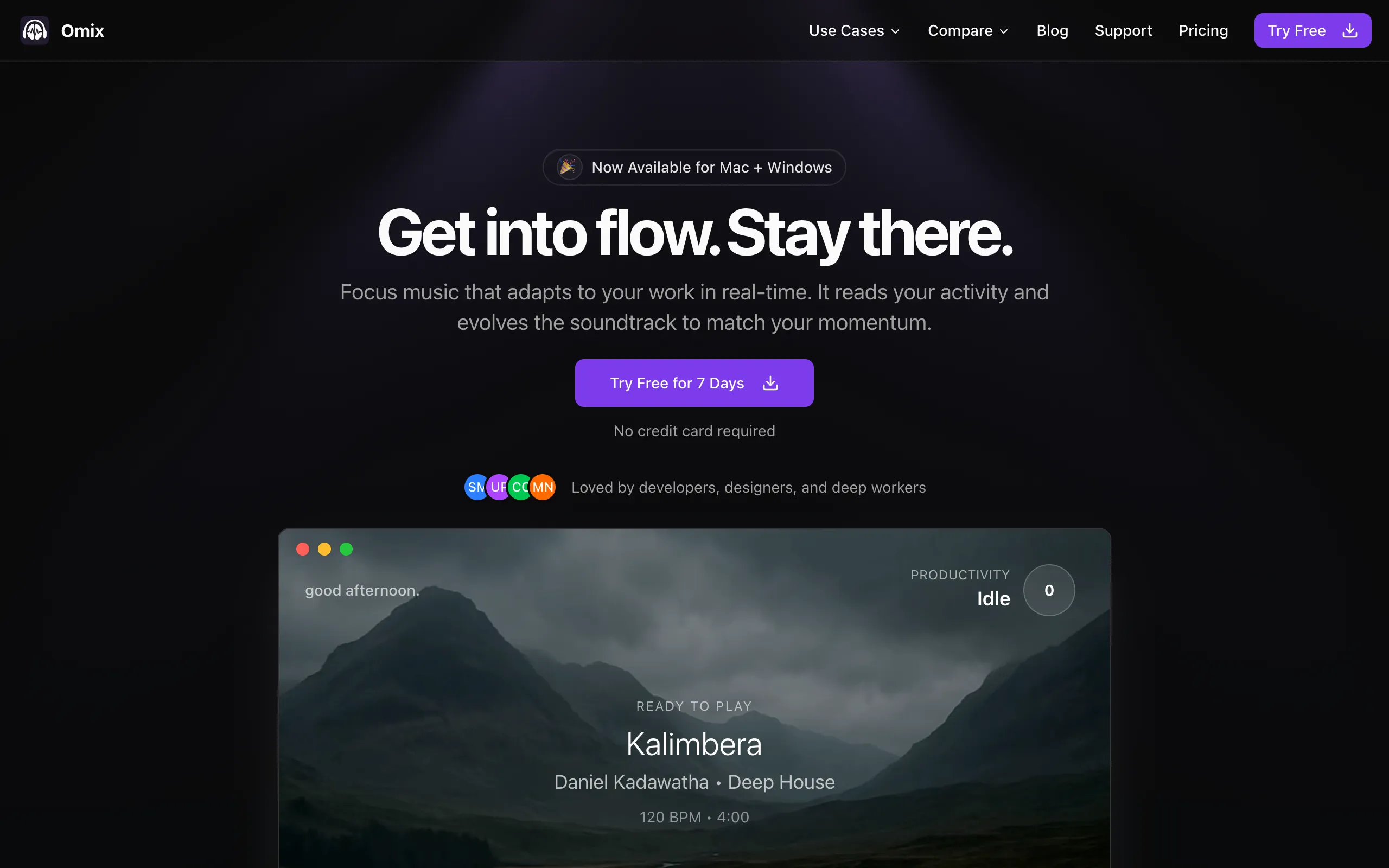
omix.app

focus.music
Quick Comparison
| Feature |  Omix Omix |  focus.music focus.music |
|---|---|---|
| Adaptation Method | Real-time workflow monitoring | Learns from your past sessions |
| Music Source | Dynamic stem layering | Human-composed tracks, no vocals |
| Personalization | Automatic (learns from your activity) | Guided suggestions or manual picks |
| Genres | Deep house, lofi, jazz, post-rock, dark techno | Multiple channels and energy levels |
| Productivity Analytics | Focus patterns & app insights | Timed sessions, no analytics listed |
| Privacy | 100% local processing | Cloud-based streaming |
| Platform | Mac + Windows native | Mac, Windows, web, iOS, Android |
| Monthly Price | $7.99/mo+ Lifetime option | $4.99/moor $39.99/year |
How They Work Differently
OmixReal-Time Workflow Adaptation
Monitors your actual keyboard activity and app usage to build music layers dynamically
Silent Monitoring
Runs quietly in your menu bar, tracking typing speed and app switches
Dynamic Building
Starts ambient, adds instruments as focus deepens: bass, drums, keys, guitar
Contextual Intelligence
Different music response for different apps, learns your patterns over time
focus.musicGuided Focus Sessions
Starts a focus session around your task, then suggests a channel or lets you pick one
Session Setup
Name the task and choose 25 minutes, 50 minutes, a custom length, or no timer
Guided or Manual
Take the suggested channel, or browse the channels and choose your own
Learns Over Time
Notes which channels hold your attention and when you focus best, then tunes future guided sessions
The Core Difference
focus.music helps you pick the right channel. Omix changes the music while you work.
focus.music's approach: tell it what you're working on, start a session, and it suggests a channel of human-composed, instrumental music, or you pick one yourself. Its Adaptive Runtime learns from your sessions, such as which channels hold your attention and when you focus best, and uses that to tune future guided sessions.
Omix takes a different approach. Instead of learning from which channels you play, it responds to what you're doing right now. It monitors your typing speed, app switches, and activity patterns, then builds music in real-time using layered stems. The result: your music stays in sync with your energy level during the session, not just across sessions.
When to Choose Each App

Choose Omix if you:
- Want music that genuinely reacts to your work in real-time
- Want the music to follow your keyboard and mouse activity, not just your listening history
- Want productivity analytics beyond just a timer
- Have ADHD and need stimulation that matches your energy
- Prefer a native desktop experience
- Want a lifetime purchase option ($119 once)

Choose focus.music if you:
- Like working in timed focus sessions
- Want one subscription across Mac, Windows, web, iPhone, and Android
- Like choosing your own music channel manually
- Want a lower subscription price ($39.99/year)
- Want channel suggestions that learn from past sessions
Pricing Comparison
Omix
focus.music
The Bottom Line
Choose Omix for True Real-Time Adaptation
If you want focus music that actually knows when you're in flow vs. when you're distracted, and adjusts accordingly without any manual input, Omix is the more advanced approach. It's the difference between learning from past sessions and responding to what you're doing right now. Especially effective for ADHD focus.
Choose focus.music for Guided Sessions
If you like working in timed sessions, want human-composed focus channels on every device including your phone, and want to pay less each month, focus.music is a solid choice at $4.99/month or $39.99/year.
Frequently Asked Questions
How is Omix different from Focus@Will?
Focus@Will is now called focus.music. It plays human-composed, instrumental channels in timed or free-flow focus sessions, and its guided mode suggests a channel based on your task and what it has learned from your past sessions. Omix responds to your keyboard and mouse activity while you work, bringing layers of the music in and out as your momentum changes.
Does Focus@Will adapt to your workflow?
focus.music says its Adaptive Runtime learns which channels hold your attention and the times of day you focus best, then tunes future guided sessions to you. Omix works on a shorter loop: the music changes during the session itself, as your keyboard and mouse activity rises and falls.
Which is better for ADHD, Omix or Focus@Will?
Both are used for ADHD focus, and focus.music lists ADHD and focus support among the things it's built for. Omix's advantage for ADHD is its adaptive approach: the music automatically increases stimulation when you're active and decreases when you're pausing, which matches how ADHD brains need varying levels of stimulation throughout a work session.
Is Focus@Will cheaper than Omix?
Yes, on subscriptions. focus.music costs $4.99/month or $39.99/year, and Omix costs $7.99/month or $59/year. Omix also offers a $119 lifetime purchase, and focus.music doesn't list a lifetime option. Both start with a 7-day free trial.
Compare Omix to Other Tools
See how Omix stacks up against other productivity and focus solutions.
Ready to try real-time adaptive focus music?
Try Omix free for 7 days and hear the difference between a channel you pick and music that follows how you work. No credit card required.