
Focus music that responds to your code
Omix monitors your keyboard activity and adapts the music in real-time. Typing fast? The soundtrack builds. Reading docs? It settles back. No playlists to manage. No context switching.
No credit card required
Flow state is fragile. Your music shouldn't break it.
Spotify / YouTube
Another tab to manage. Algorithm changes. Ads interrupt (unless you pay). Songs end. Focus breaks.
Lo-fi playlists
Plays the same whether you're crushing code or completely stuck. No adaptation. No awareness.
Omix
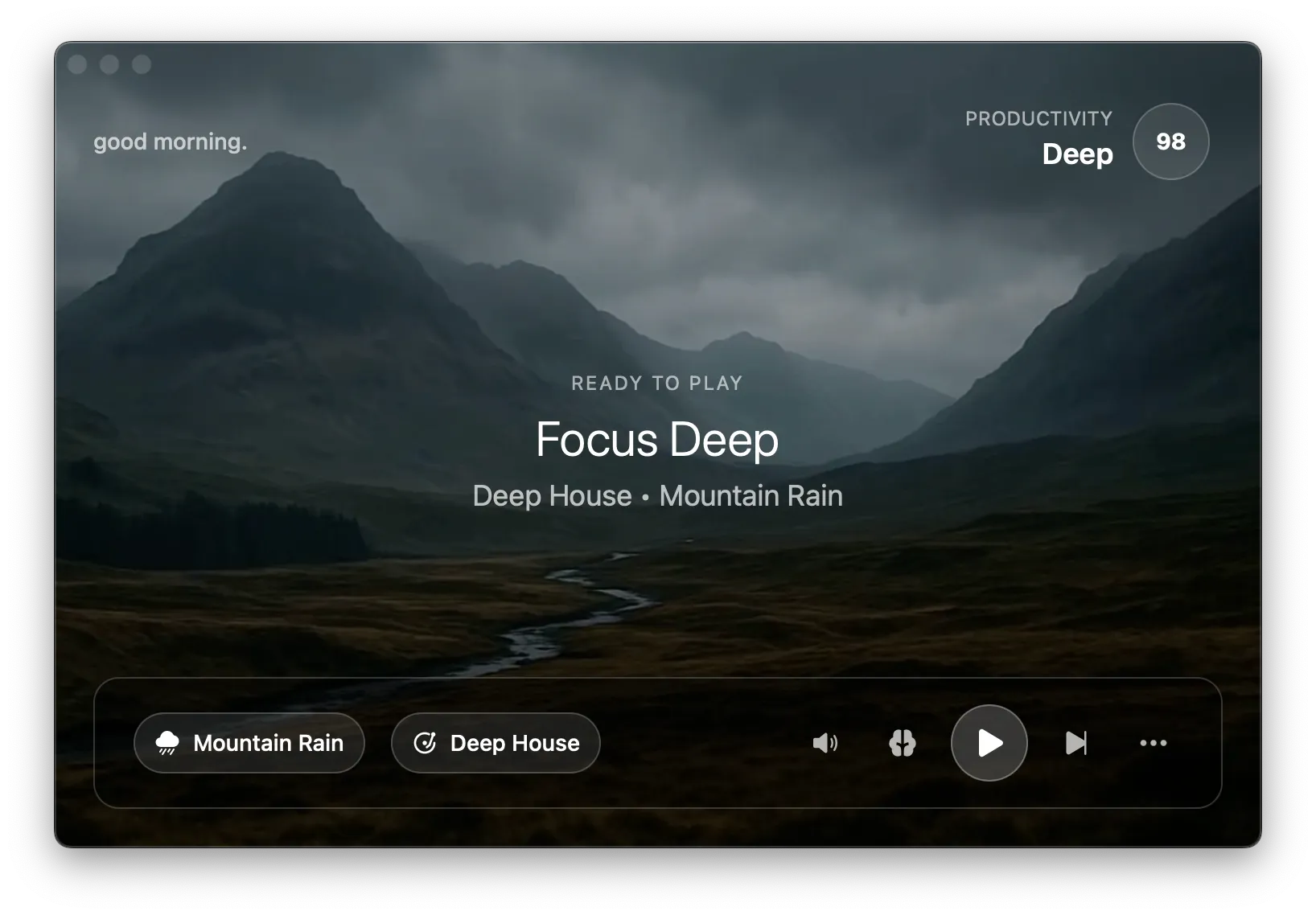
Native app with ambient scenes or minimal menu bar mode. Adapts to your typing. Builds when you code, settles when you read.
How it works
Omix creates a soundtrack that matches your coding rhythm
Silent monitoring
Omix monitors keyboard activity and app focus in the background. All processing happens locally. Nothing is sent to the cloud.
Dynamic layering
The music is built from stems: bass, drums, instruments, melody. As your activity increases, more layers fade in. When you pause, layers fade out. Seamless. Continuous.
Context awareness
Different apps, different rhythms. Coding in VS Code is different from writing documentation. Omix adapts to whatever you're doing.
Built for the developer workflow
Works with any IDE
VS Code, IntelliJ, Xcode, Vim, Emacs, terminal. Omix monitors at the system level, so your setup doesn't matter.
Native desktop app
No browser tab. Open the full app with ambient video scenes, or minimize to menu bar and let it run in the background.
100% local processing
Your activity data never leaves your machine. No cloud dependency. No privacy concerns. Just music that works.
Productivity insights
See your focus patterns over time. Which apps help you flow? When are you most productive? Data to optimize your workday.
Multiple genres
Deep house for the grind. Dark techno for the zone. Ambient for debugging. Jazz fusion for creative work. All instrumental. All adaptive.
Zero configuration
Install, sign in, work. No settings to tweak. No profiles to configure. Omix just works.
The only music app that watches you code
No other focus music app responds to your actual work. Omix creates a soundtrack that matches your coding rhythm.
What our users are saying
Real experiences from people who use Omix to focus
Omix is a game-changer for maintaining deep focus and flow during my work sessions.
The way the music adapts to my workflow in real-time creates an effortless productivity experience that keeps me locked in for hours.
The concept is great, but it was the quality of the music generated that convinced me.
With Omix, I never lose focus. No distractions. It's just me and my code, with the music flowing alongside my concentration.
This app is great especially for a person like me who is a non-coder who mostly read e-books for studies. The app helps me get into the "zone" for a long duration and helps me to get over all the hassle around my surrounding.
10-12 hour work days make it tough to focus on personal projects and study when I get home. Omix helps me squeeze out a couple of clear, focused hours for myself.
I used to rely on brown noise & random music mixes on YouTube, but the freedom to tweak the sound the way I like it, and having it actually tune in to how I feel and push me when I'm fading - is what sold me
As a BI consultant and data analyst, I need tools that enhance focus without getting in the way. Omix delivers in this regard.
The small footprint keeps my workspace clean while I work. The design is intuitive and the selectable scenes and music genres let me match my mood. The audio balance between background and music is customizable, and the set-and-forget focus tracking gives me insights without constant interaction.
For anyone doing deep work requiring sustained concentration, Omix is a great value add.
I've tried countless focus apps, background music, and productivity tools over the years, but Omix is the first one that has made a consistent, noticeable difference.
Living with ADHD, I often struggle to get into a state of deep focus, especially when reading research papers or studying for my Master's while working full-time. Omix helps me settle into that focused state much faster and, more importantly, stay there. Instead of constantly fighting distractions, I can simply get on with my work.
It's now an essential part of my study routine and, without question, the most effective focus app I've used.
Explore More
See how Omix compares to other tools and find the best setup for your workflow.
Omix vs Brain.fm
Neuroscience-backed audio vs real-time adaptive music.
Omix vs Spotify
Why developers are switching from playlists to adaptive music.
Best Music for Coding
The best focus music genres and tools for programmers.
Music for Deep Work
Enter flow state faster and sustain focus longer.
How It Works
The Rust-powered adaptive audio engine under the hood.
Frequently Asked Questions
How does Omix know when I'm coding vs browsing?
Omix monitors your keyboard activity and which application has focus. When you're typing in your IDE, the music builds. When you switch to a browser to read docs, it settles back. It adapts to whatever you're doing without you having to think about it.
Does it work with my IDE?
Omix works with any application, including VS Code, IntelliJ, Xcode, Vim, Emacs, and terminal-based editors. It monitors system-level activity, so your specific IDE doesn't matter.
I usually listen to lo-fi or electronic music while coding. How is this different?
Static playlists play the same whether you're in deep focus or completely stuck. Omix adapts in real-time. When you're typing fast and in flow, the music builds with more layers. When you pause to think through a problem, it pulls back. The music matches your coding rhythm.
What data does Omix collect about my activity?
Omix only tracks aggregate activity levels (typing speed, active app) to adapt the music. It doesn't log keystrokes, read file contents, or store what you're working on. All processing happens locally on your machine.
Does this use any system resources I should worry about?
Omix is designed to be lightweight, using minimal CPU and memory whether you're using the full app with ambient scenes or running it minimized in your menu bar. Everything is processed locally on your machine.
Ready to code in flow state?
Try Omix free for 7 days. No credit card required. See how adaptive focus music changes your coding sessions.